If you built your first product on no-code, you probably made the right call.
Let's say that clearly up front, because most "no-code vs custom" articles are written by developers who quietly think no-code is a toy. We don't. No-code let you get a real product in front of real users without burning your savings on a build you weren't sure anyone wanted. That's not a shortcut. That's smart.
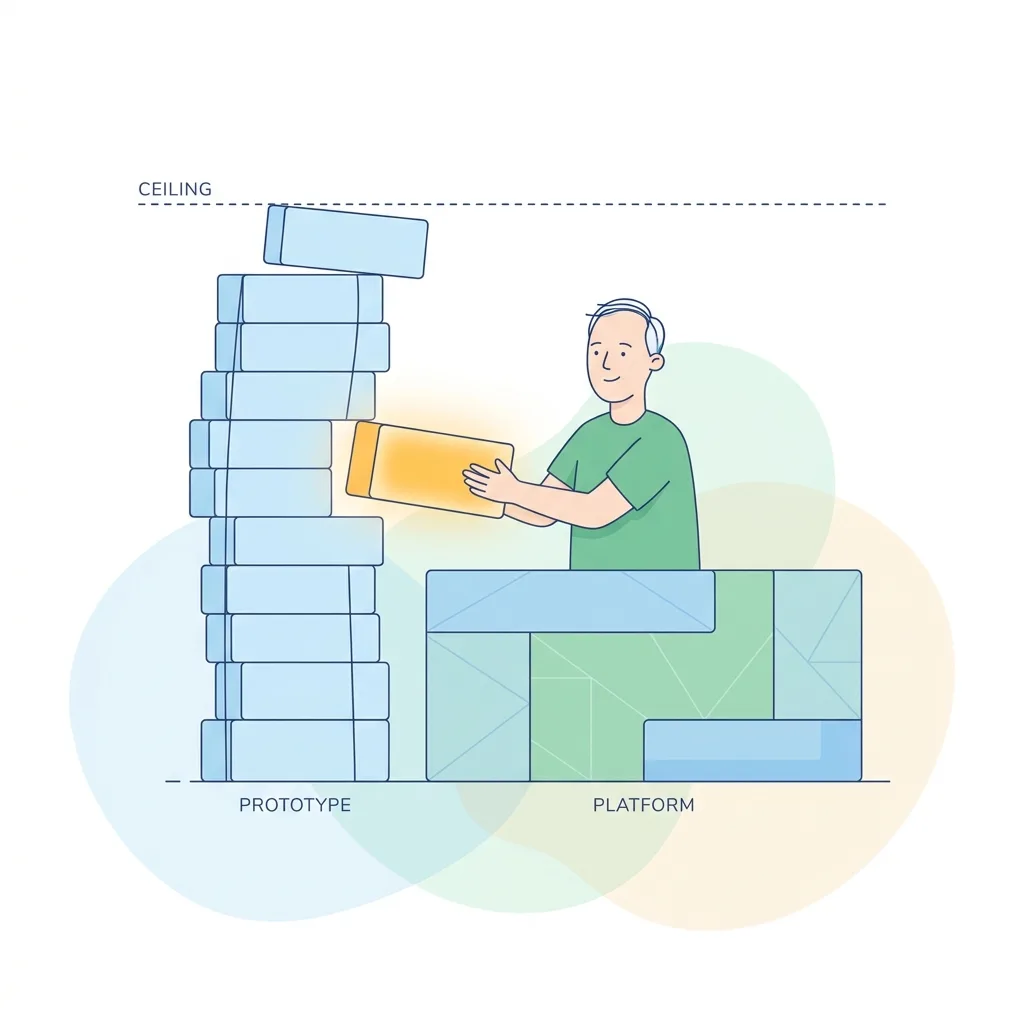
This article isn't about whether no-code was a mistake. It's about something every successful no-code founder eventually faces: knowing when you've outgrown it. Because if your no-code app is working, if people are using it, paying for it, asking for more, you'll hit a ceiling. And recognizing that moment for what it is (a good problem) is the difference between a smooth graduation and a painful scramble.
What no-code is genuinely great at
Before we talk about the ceiling, let's give no-code its full due, because understanding what it's good at tells you exactly when it stops being enough.
No-code platforms like Bubble, Webflow, Glide, and the rest are genuinely excellent at:
- Fast validation. You can go from idea to working app in days or weeks, not months. For testing whether anyone wants what you're building, nothing beats it.
- Low cost. You're paying a subscription, not a build. That keeps your runway intact while you learn.
- Founder-friendliness. You don't need to be technical to ship something real. That's genuinely empowering, and it's put products into the world that never would have existed otherwise.
If those are still your main needs, and you're validating, iterating fast, keeping costs near zero, stay on no-code. Seriously. Don't let anyone talk you into a custom build you don't need yet. The whole point is to spend the minimum to learn the maximum, and no-code does that beautifully.
The ceiling only matters once you've succeeded.
What about AI and "vibe coding"?
Since we first wrote this, a newer version of "build it without a full dev team" has taken over: AI and vibe coding. Tools like Lovable, Cursor, Bubble's AI, and v0 let you describe what you want and get a working app fast, often faster than classic no-code.
Here's the honest part: it's the same story with a new engine. AI is genuinely great at the first 80%, exactly the way no-code is great at validation. And it hits a ceiling too, usually the same ones below (performance, integrations, cost, ownership), plus one that shows up sooner and sharper: AI-built apps tend to break every time you add a feature, because there's no structure or tests underneath. We wrote about exactly where AI-built apps break if you're feeling that right now.
So everything below applies whether you built on classic no-code or with AI. The signals are the same. And if your AI-built app already got traction and is now breaking, that exact situation has a name and a fix: AI App Rescue, where we take an AI-built app to production without throwing away what already works. If you're earlier and still deciding whether to build it yourself with AI or bring in a team, we covered that honestly too: build it yourself with AI, or hire?
The specific signals you've hit the ceiling
So how do you know you've outgrown it? Not from a vague feeling, but from concrete signals. Here are the ones that actually mean something.
Your workarounds have workarounds. Early on, you bend the platform a little to do what you need. Fine. But when you're stringing together three plugins and a fragile automation to fake a feature the platform can't do natively, and you're scared to touch any of it, that's the ceiling talking.
Your users can feel the performance. No-code platforms hit real performance limits under load. Pages that were snappy with a hundred records start to crawl once you've got serious volume. When lists lag, screens hang, and users start mentioning it, you've outgrown the engine underneath you.
The integration you need doesn't exist. You need to connect to a specific payment processor, a partner's API, a piece of hardware, or build a genuinely custom workflow, and the platform simply can't. No plugin, no workaround. That's a hard wall.
Your costs are scaling faster than your revenue. Many no-code platforms charge by usage, workflow runs, or seats. At small scale that's cheap. At real scale, the bill can climb faster than the money coming in. When the math starts working against you, the economics of owning your code start to make sense.
And the big one: you can't export your source code. This deserves its own section, because it's the signal founders discover too late.
The lock-in problem nobody mentions until it's too late
Here's something most no-code platforms don't put on the homepage: on most of them, you don't own source code. You own a configuration inside someone else's system.
Think about what that means. If you decide to leave, whether you've outgrown the platform, the pricing changed, or the company gets acquired and shuts a feature down, your app doesn't come with you. You can't hand a folder of code to a new team and say "build on this." The logic, the workflows, the years of refinement you poured in live inside the platform. Leave, and the app stays behind.
That's the real risk of no-code, and it's invisible right up until the moment it isn't.
We feel this one personally. We built Formester, our own SaaS product, and that taught us exactly what owning your code is worth: the freedom to take it anywhere, change anything, and never ask permission. It's the same reason we've written before about avoiding vendor lock-in: your product should be yours, fully, with no one else holding the keys.
None of this means no-code was wrong. It means that once you've got traction, owning your code stops being a nice-to-have and starts being the thing that protects everything you've built.
What "going custom" actually involves
Let's demystify this, because "rebuild it in custom code" sounds scarier than it is.
Going custom is a graduation, not a failure. You're not throwing away what you learned. You're taking a validated, working product and rebuilding it on a foundation that's actually yours and can grow without limits. Every workflow you painstakingly figured out in no-code becomes a spec for the custom build. The hard part, knowing what to build, you've already done.
Roughly, a focused first custom build of a validated no-code app runs in the range of eight to twelve weeks, depending on complexity. You'd choose a stack you can hire for and grow on, typically something like React or Vue on the front end with Node.js or Rails behind it (here's how to choose a tech stack for the full thinking). That's the stack we'd most often rebuild a no-code app onto, with teams of React, Node.js, Vue.js, and Rails engineers who do this regularly.
The cost depends entirely on scope. We won't quote a number here, but if you want real ranges, that's worth a proper conversation rather than a guess.
No-code vs low-code vs custom: a quick, honest map
These three terms get muddled, so here's the short version:
- No-code: you build by configuring, no programming. Best for validation, simple apps, and founders who want full control without code. Trade-off: platform limits and usually no code ownership.
- Low-code: mostly visual, but you can drop into code for custom logic. A middle ground when you've hit some limits but not all of them, and you have a little technical help.
- Custom: fully built code, fully yours. Maximum flexibility, performance, and ownership. Trade-off: it costs more and takes longer up front, and it only makes sense once you've validated that it's worth it.
The honest rule: start as low on this ladder as your needs allow, and climb only when the signals above tell you to. Most founders should start on no-code. Some should stop there forever. The ones reading this far have probably earned their way up to custom.
How to migrate without losing momentum
The fear with going custom is that everything stops for three months while engineers rebuild what already works. It doesn't have to be that way.
The approach that protects your momentum:
- Run both in parallel. Keep your no-code app live and serving users while the custom build comes together. Nothing goes dark.
- Migrate the load-bearing pieces first. Start with the part that's straining hardest: the slow workflow, the feature you couldn't build, the integration you needed. Get the highest-pain piece onto solid ground first.
- Keep shipping. A good migration doesn't freeze your roadmap. You should still be improving the product while the rebuild happens underneath.
This is exactly the kind of moment where a partner who plans the migration with you matters, someone who sequences it so you're never caught between two half-working systems. We've done this enough to know where the sharp edges are, and we'd rather help you avoid them than learn them the expensive way.
One more pointer: outgrowing a no-code platform is one specific version of a bigger question, when to build something custom versus buy or use something off the shelf. If you're weighing that more broadly across your product, our build vs buy framework is the fuller map. The no-code ceiling is just the sharpest, most concrete case of it.
The takeaway
No-code did its job: it let you validate cheaply and get real users without betting the runway. If it's still serving you, stay. But when the workarounds pile up, the performance shows, the integrations won't come, the costs outpace revenue, or you realize you can't take your own app with you, those are the signals it's time to graduate.
Going custom isn't a confession that you started wrong. It's proof you started right and it worked. The product earned its way to a foundation that's truly yours.
Frequently Asked Questions
Can AI or vibe coding replace custom development?
For validation and a first version, often yes, just like classic no-code. But AI-built apps hit the same ceiling once you succeed (performance, integrations, cost, ownership) plus a sharper one: they tend to break every time you add a feature, because there's no structure or tests underneath. At that point custom development is the graduation, not a failure.
My AI-built app keeps breaking. Do I need custom development?
If it's breaking every time you add a feature, that's the classic ceiling signal. You usually don't rebuild from scratch, though. The fix is targeted: keep what works and harden what's fragile. That specific situation is what our AI App Rescue service handles.
When should I switch from no-code (or AI) to custom code?
When your workarounds have workarounds, users feel the performance, the integration you need doesn't exist, costs scale faster than revenue, or you realize you can't take your own app with you. Until then, staying on no-code or AI is often the smart, cheap choice.
Outgrowing your no-code app? Let's map a migration that doesn't stall your momentum, and figure out what's genuinely worth rebuilding first. Talk to us.
Get practical engineering insights
Real lessons from building products - ours and our clients'. No spam. Monthly.
Have a project in mind?
We'd love to hear what you're building. Let's talk about how we can help.
Let's Talk